Learning Hub
A training platform I built end to end, from product plan to grading engine
Learning Hub trains people to annotate data to production quality. Learners practice inside the real editor and get feedback that shows, on the image or in the 3D point cloud, exactly how their work differs from the reference. I built it from the ground up: the product plan, the design, the frontend, the backend, and the engines that compare and grade. It's in active use across every part of it.
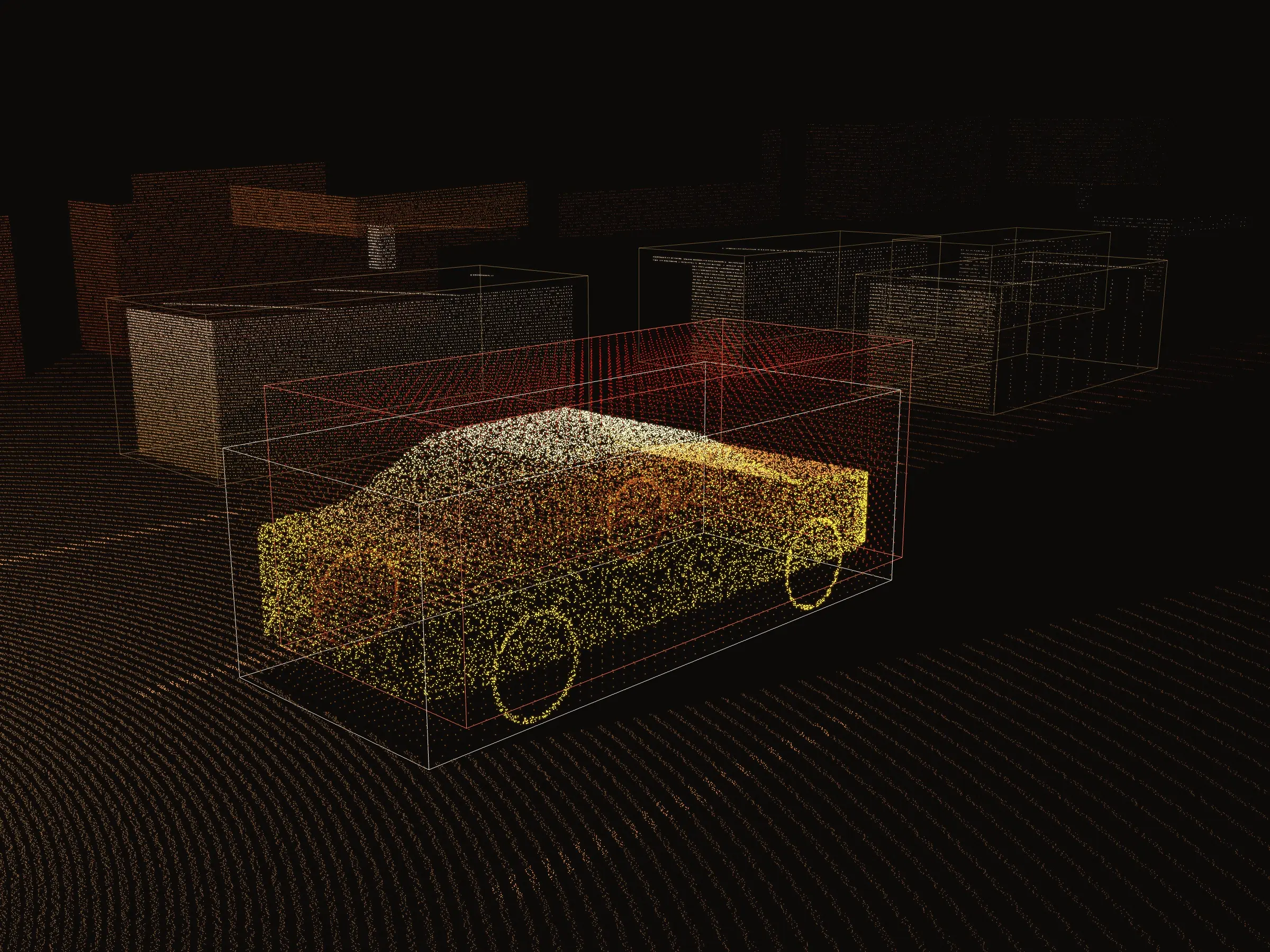
At a glance
- Built
- From the ground up
- Engines
- Comparison and grading, both new
- Label types
- 2D and 3D, including point clouds
- Built for
- Learners, course authors, team leads
- Practice
- Inside the real annotation editor
The product
A course is a run of lessons: rich text, video, quizzes and practice. Leads assign courses with due dates and mark which ones are required. Quizzes draw from pools of questions and answers, so a retry tests the idea again rather than your memory of the last attempt.
Practice is where it gets serious. A practice lesson opens the full production editor with a dataset and a brief: what to label, how, with which categories, or what to review. When the learner finishes, Learning Hub compares their work with a reference set and shows them the difference, visually and in numbers. They can go again as many times as they need.
Feedback you can see
A score tells a learner they missed. The feedback shows where, in which direction, and by how much.
Wrong category
Label a truck as a car and it's flagged as a major mistake, visually and in the result.
Overshoot
Where a box covers more than the object, that extra area is drawn in its own color and texture.
Undershoot
The part of the object a box missed is drawn differently, so excess and shortfall never read as the same error.
The numbers
Pixel deviation on every edge, area overlap and IoU, for anyone who wants the precise picture.
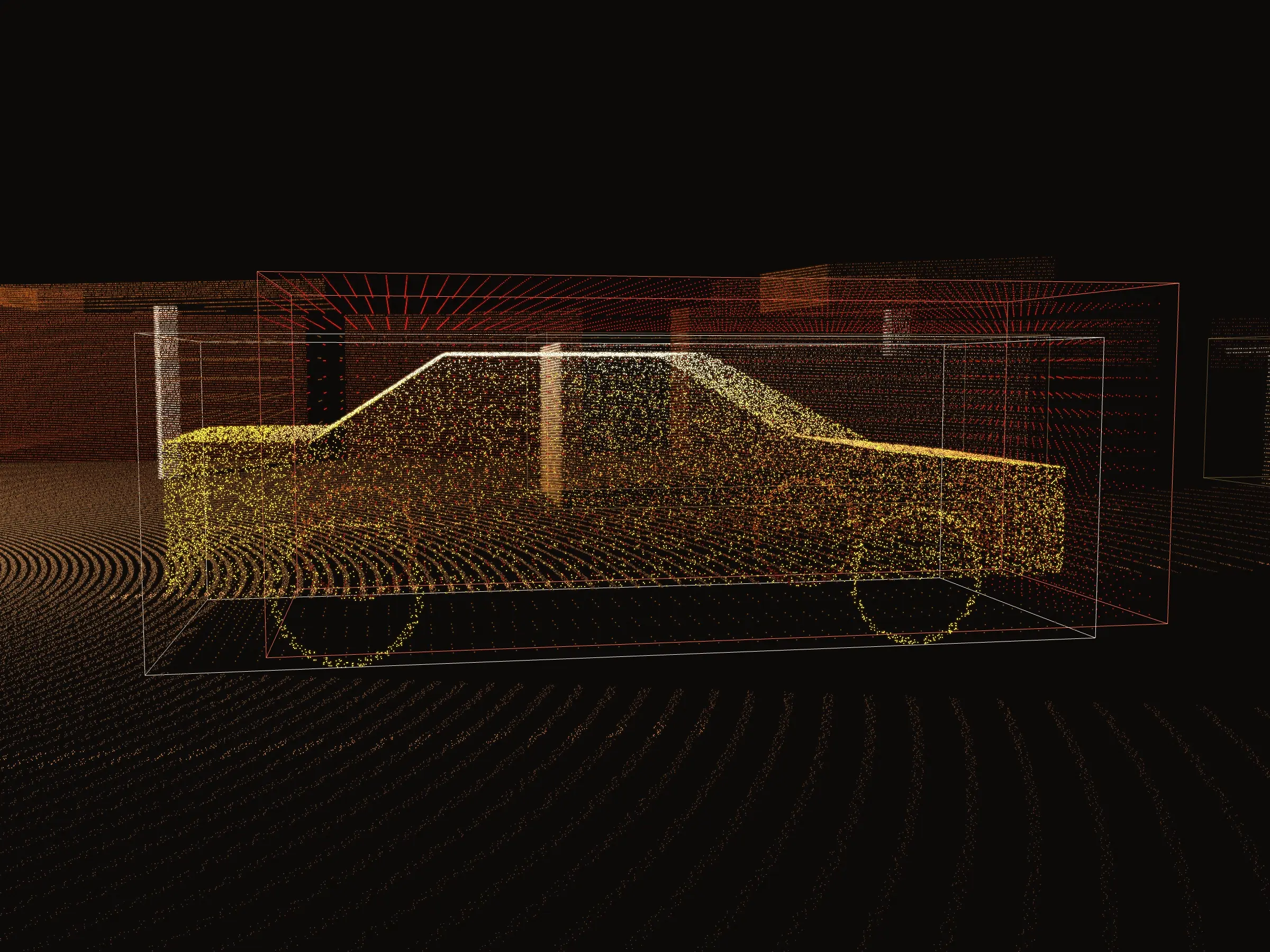
Feedback in 3D
Boxes on an image were the start. The same feedback had to work in lidar point clouds, where a label is a 3D box or a 3D polygon, and a learner can look at it from any angle.
For 3D boxes, extra boxes show the missed and overshot volume. 3D polygons were the hardest problem in the whole system. I carried the same visual language into the point cloud, coloring points and regions by the kind of error, so a learner can orbit the scene and see precisely what they got wrong.
The grading engine
None of this existed before. I built a comparison engine for every 2D and 3D label type, then a grading engine on top of it, with rules I defined from years of seeing how production annotation is actually reviewed. It grades:
- Geometric quality and accuracy
- Wrong label categories
- Missing labels: objects that should have been labeled and weren't
- Extra labels that shouldn't exist
- Errors in label, frame and dataset attributes
- Minor versus major mistakes, and how much each one counts
Courses can end in a final exam on a real dataset. The learner submits, the grader scores it automatically, and it passes or fails against thresholds and rules the course author sets, with as many attempts as the course allows.
For team leads
Reporting
See how annotators perform across courses and which label types each is strongest in, and combine results from several courses to judge who fits a project.
Progress tracking
See who is working through which course, who's stuck, and which unfinished courses are close to their due date.